The Complete Guide to Getting More Google Reviews for Your Service Business
Your Competitors Are Not Doing Better Work Than You. They Just Ask More.
You finished the job. The customer thanked you at the door, said they would definitely leave you a review, and meant every word of it. You drove to the next job. They opened their phone to text their sister. Three days later they could not remember your company name. Six weeks later your competitor, whose work is honestly no better than yours, added their 314th Google review. You are still at 27.
That is not a quality gap. It is a systems gap. And it is entirely fixable.
The businesses with 400 reviews did not earn them by being more charming or more persistent in person. They stopped asking manually. They built a machine that asks every customer, at exactly the right moment, through exactly the right channel, with one tap to the review form. This guide is that machine, in complete detail.
---
Table of Contents
1. The Math of Reviews: Why Count, Velocity, and Recency All Matter for Ranking
2. The Psychology of Why Customers Do Not Leave Reviews Even When They Intend To
3. The Optimal Timing Window: When After the Job to Ask
4. The Direct Review Link Nobody Is Generating (and How to Make One)
5. SMS Versus Email Versus In Person: The Data on What Actually Works
6. The Automated Ask: Post Job Text, Follow Up Email, and the Day 1, Day 3, Day 7 Sequence
7. The Pre-Screening Question That Intercepts Unhappy Customers Before They Review Publicly
8. Handling Reluctant Customers Without Burning the Relationship
9. Negative Reviews: Prevention, Response, and Recovery
10. Fake Reviews: Spotting Them and Reporting Them Effectively
11. Showcasing Reviews on Your Website and Social Media
12. Industry Specific Playbooks: HVAC, Plumbing, Electrical, Roofing, Auto Repair, Cleaning, Pet Grooming, Vet, Dental
13. Beyond Google: Yelp, Facebook, BBB, and Nextdoor
14. The 90 Day Review Acceleration Plan
---
Chapter 1: The Math of Reviews — Why Count, Velocity, and Recency All Matter for Ranking
The first mistake most service business owners make is treating their star rating as the primary goal. A 4.9 average is almost meaningless when it sits on top of 18 reviews. The three metrics that actually drive local search ranking are count, velocity, and recency. Understanding how they compound changes how urgently you approach the problem.
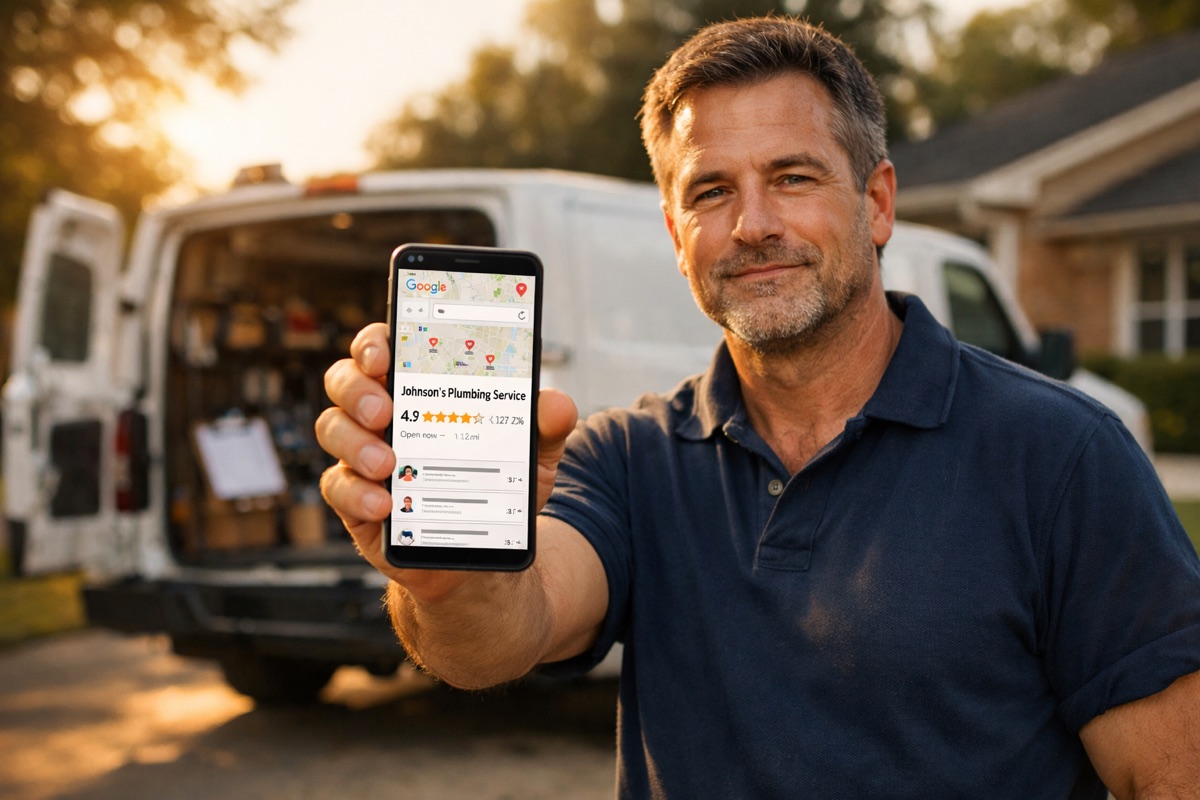
Count. Google's local algorithm uses total review count as a legitimacy signal. A business with 250 reviews tells the algorithm and every potential customer that a large number of people have trusted this company, found it, hired it, and felt satisfied enough to say something publicly. In competitive service categories like HVAC or plumbing in a city of 200,000 people, the top three results in the local pack typically carry between 150 and 500 reviews. Businesses below that threshold rarely achieve sustained top-three visibility regardless of how strong their website or service quality might be. If you have 30 reviews and your nearest competitor has 300, you are not losing to a ranking algorithm. You are losing to a math problem.
Velocity. Google measures how many new reviews you are adding per week, not just the total you have accumulated. A business that earned 200 reviews three years ago and has added nothing since is actively losing ground to a competitor who launched 18 months ago and has been adding 8 to 12 new reviews every week. The algorithm interprets review velocity as a proxy for current business activity. A dormant review profile looks like a dormant business. A steady stream of recent reviews signals to Google that real customers are actively choosing and trusting you right now. A realistic velocity target for a small to mid-sized service business with the right automation in place is 4 to 10 new reviews per week.
Recency. Your customers read review dates before they read review text. A 5 star review from 2022 carries less persuasive weight than one posted two weeks ago, both for the human reader and for the Google ranking signal. Google weights reviews from the last 90 days more heavily than older entries. A business that ran one big review push two years ago and earned 80 reviews in a short window looks like a one-time event. The goal is a consistent, recent, ongoing stream that never pauses.
The math is not complicated. If you complete 25 jobs per week and convert 25 percent of customers into reviewers, you add 6 to 7 reviews per week. Over 12 months, that is more than 300 new reviews. At 20 percent conversion, you still add over 200. Both numbers transform a 30-review profile into the most reviewed business in your local market. The conversion rate is the only variable you control. Everything in this guide is about maximizing it.
---
Chapter 2: The Psychology of Why Customers Do Not Leave Reviews Even When They Intend To
Your customers are not ungrateful. They are busy, distracted, and friction-averse. Understanding the exact psychology of why the review never happens is the foundation for building a system that makes it happen anyway.
Here is the sequence every non-review follows. The customer finishes the transaction feeling genuinely satisfied. In that moment, gratitude is high and the intent is real. They say "I will leave you a review" and mean it. Then they go inside, respond to a text from their child's school, start dinner, and the moment passes. Gratitude has a short half-life. Two hours after the job, it has become a low priority item on a mental to-do list. Forty-eight hours after the job, it is gone entirely.
The second layer is decision fatigue around the act itself. When the customer eventually remembers they meant to leave a review, they have to open Google, search for the business name they may not quite remember, find the right profile, navigate to the reviews tab, tap the write a review button, select a star rating, and compose something worth posting. That is six to eight discrete steps. For most people, that is four steps too many. They close the app and feel slightly guilty about it.
The third layer is the blank text field problem. Many customers genuinely do not know what to write. They stare at the cursor and feel pressure to produce something meaningful. The anxiety of the blank page, even for 50 words, is enough to produce inaction. They close the app.
The fourth layer is platform displacement. Many customers believe they have already helped you. They told a neighbor, texted a friend, or posted a photo of the finished job on their Facebook page. From their perspective, they spread the word. From your perspective, nothing visible happened to your search ranking.
Understanding these four layers tells you exactly what the solution requires. You need to ask while the gratitude is still fresh, remove every possible step between the customer and the review form, and give them a short prompt so they know what to say. A system that does all three simultaneously converts at 20 to 30 percent. Manual asking, after the moment has passed, converts at 3 to 8 percent. That is the entire case for automation.
---
Chapter 3: The Optimal Timing Window — When After the Job to Ask
The research on review request timing is consistent across industries. Conversion rates peak when the ask arrives within 30 to 120 minutes of job completion. The second best window is within 24 hours. After 48 hours, conversion rates drop sharply. After 72 hours, you are fighting the forgetting curve and losing badly.
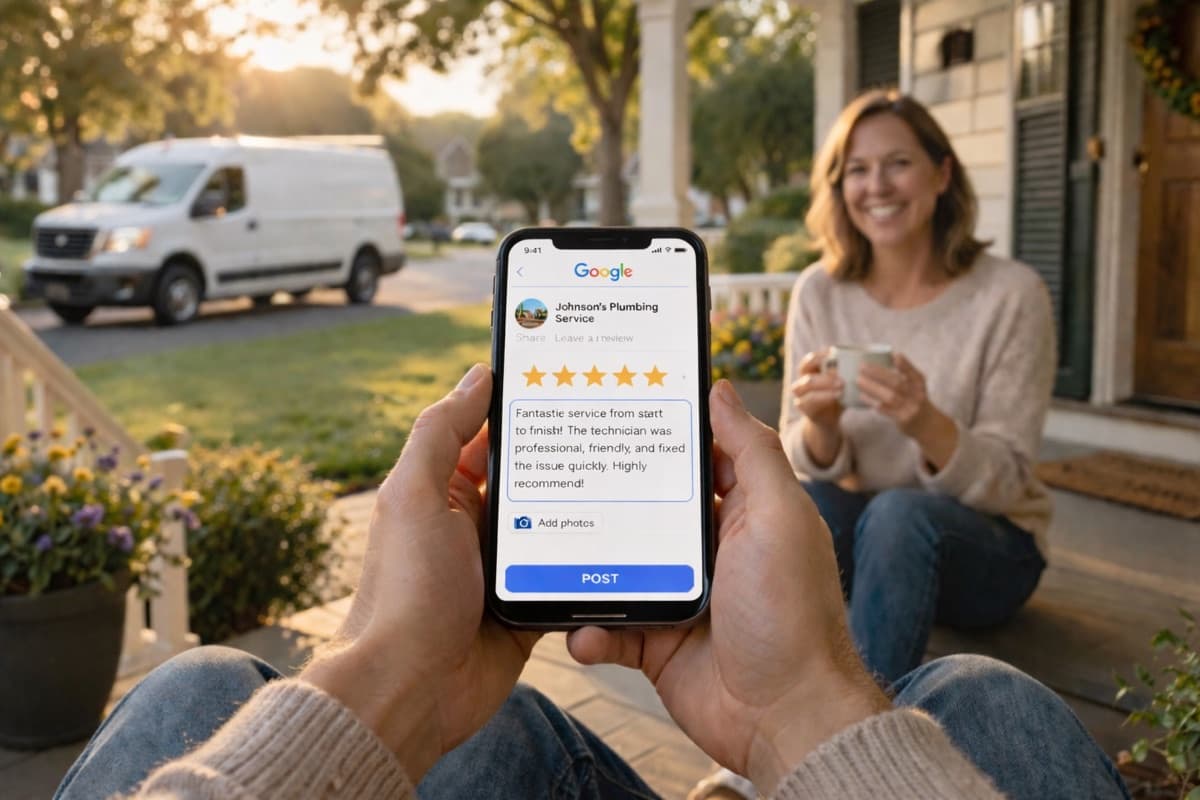
Here is what the timing window looks like in practice. A plumber finishes a repair at 2:30 PM. The customer is grateful and relieved. At 2:55 PM, an automated text arrives: "Hi Sarah, this is Mike from River City Plumbing. We just finished up at your home today and we really hope we solved the problem. If you have 60 seconds, we would love to hear from you: [direct link]." Sarah reads it immediately. Text messages carry open rates of 95 to 98 percent and are typically read within three minutes of delivery. The job is still fresh. She taps the link, gives 5 stars, writes two sentences, and submits. That took 90 seconds.
Now the same scenario with no system and a manual approach. Mike drives to his next call and makes a mental note to send Sarah a review request email that evening. He gets to the next job and the mental note evaporates. At 7 PM he sends a generic satisfaction email from his office. Sarah sees it at 10 PM, intends to read it properly tomorrow, and never opens it again.
The timing rule is non-negotiable: the ask goes out within 30 to 60 minutes of job completion, automatically, every time, for every customer. Not most customers. Not only the ones who seemed happy. Every customer. The pre-screening layer handles the qualification. The timing handles the conversion rate.
If you are not sure how your current review presence compares to local competitors, run a free audit. It will check your review count, your velocity, and your recency, and show you exactly where the gap is and what it would take to close it.
---
Chapter 4: The Direct Review Link Nobody Is Generating — and How to Make One
Most service businesses that do ask for reviews send the customer to their website homepage, tell them verbally to "look us up on Google," or paste a link to their Google Business Profile listing. Every one of those paths requires the customer to do additional navigation work. Every extra step loses between 20 and 30 percent of the willing reviewers who were already in motion.
The correct approach is a direct review link. This is a specific URL that opens the Google review form on your business profile with the star selector immediately visible and ready to tap. The customer does not search for your business. They do not navigate to your profile. They do not find the reviews tab. They tap one link and they are on the form.
Direct review link generation (the technical detail of creating a one-tap link that opens the review form on the customer's specific Google profile). To generate this link, you need your Google Place ID. You can find it by visiting the Google Places API lookup tool at maps.googleapis.com/maps/api/place/findplacefromtext or by searching your business on Google Maps, clicking your listing, and locating the Place ID in the URL string. Once you have the Place ID, your direct review URL takes this exact format:
`https://search.google.com/local/writereview?placeid=YOUR_PLACE_ID`
Replace YOUR_PLACE_ID with your actual identifier and test it on your own phone. It should land you directly on the review form with no intermediate steps. That is the URL that goes into every review request message you send.
For SMS delivery, most automation platforms shorten this URL automatically so it does not intimidate the reader with a long string of characters. The shortened link should still open the form directly with no additional taps. If your automation platform is not doing this for you, the direct link setup is the single most important technical fix before you send another review request to anyone.
---
Chapter 5: SMS Versus Email Versus In Person — The Data on What Actually Works
The channel question has a clear answer: SMS wins by a substantial margin. The supporting data explains why, and it also clarifies exactly where email and in-person fits into the sequence.
SMS carries open rates of 95 to 98 percent with a typical read time of under three minutes from delivery. When timed correctly and paired with a direct review link, SMS review requests convert at 15 to 30 percent of recipients. That conversion rate reflects the combination of speed (the message arrives while gratitude is high), frictionlessness (one tap reaches the review form), and channel familiarity (customers check texts habitually, without the mental filter they apply to email).
Email converts at 3 to 8 percent as a primary review request channel. Open rates for service business emails average 20 to 28 percent, which means 72 to 80 percent of recipients never see the message. Email is best understood as a secondary channel for the Day 3 follow up rather than the primary ask. Its value is in reaching the customers who either did not receive or did not act on the Day 1 text. An email follow up at Day 3, sent only to non-converters from the SMS ask, adds 5 to 10 percent to the total conversion rate on a given job batch.
In-person verbal asks are unreliable as the sole mechanism but are highly effective as a primer for the automated message that follows. A technician who says at job completion, "We will send you a quick text with a review link in a few minutes, it is just one tap," before leaving increases the SMS conversion rate on that job by roughly 8 to 12 percent. The verbal prime sets the expectation so the customer is not caught off guard by the text and is already oriented toward the action.
The optimal channel mix is verbal prime at job completion plus SMS within 30 to 60 minutes plus email follow up at Day 3 for non-converters. That three-layer approach captures the maximum number of willing reviewers with no manual effort required from you or your team after the initial setup.
---
Chapter 6: The Automated Ask — Post Job Text, Follow Up Email, and the Day 1, Day 3, Day 7 Sequence
This is the engine. Every other chapter in this guide supports this one. The moment you understand this sequence, you understand why some businesses have 400 reviews and you have 30.
Review Booster (automated post-job SMS and email review requests with a direct Google review link). The moment a job is marked complete in your system, the Review Booster sends an SMS to the customer's phone. The message is short and personal: "Hi [Name], this is [Company]. We just wrapped up your [service] today. We hope everything looks great. If you have 60 seconds, it would mean a lot to us: [direct link]." No instructions. No pressure. One link. The message looks like it came from a real person, because the automation uses the customer's name and the specific service type from the job record.
This message goes out without any human action required. Your technician does not have to remember. You do not have to remember. The system watches for the job completion status to update and sends the message within the window.
The conversion rate on this first message, sent within 60 minutes of job completion, typically runs between 15 and 25 percent of recipients. For every 100 jobs, 15 to 25 reviews come in from this first touch alone. That is the baseline.
The customers who did not convert on Day 1 are not lost. They move into the follow up sequence.
Day 1, Day 3, Day 7 follow-up sequence for customers who did not act on the first ask. Day 1 is the initial SMS described above. Day 3 sends a follow up email to every customer who received the Day 1 SMS but did not click the review link. The email takes a slightly different angle: "We wanted to follow up and make sure everything is still looking great after your [service] on [day]. If you have a moment to share your experience with other homeowners, here is the direct link: [link]. It only takes about 60 seconds." Day 7 sends a final short SMS to any customer who still has not reviewed. This message is the most direct of the three: "Last one from us, we promise. If you ever want to share your experience, here is the easy link: [link]. Thank you for choosing us."
The Day 3 and Day 7 touches add another 8 to 15 percent on top of the Day 1 conversion number. Across 100 jobs, the full three-touch sequence converts 23 to 40 customers into reviewers depending on the industry and message quality.
Apply that to a real business. A plumbing company completing 30 jobs per week, running the full sequence, converts between 7 and 12 new reviews per week. In 12 months that is 364 to 624 new reviews added to a profile that started at 30. From 30 reviews to 400 in under a year, with zero manual effort after the initial setup.
If your current website and business software stack are not connected to a system like this, a free audit will show you exactly which modules are missing and map out the specific integration points you need to close the gap.
---
Chapter 7: The Pre-Screening Question That Intercepts Unhappy Customers Before They Review Publicly
Sending every customer directly to the Google review form is a calculated risk. Most of the time it works perfectly because most of your customers are satisfied. But occasionally a job went sideways. The customer has a grievance, legitimate or not. If your Day 1 text sends them straight to Google with no intermediate step, that frustration becomes a public one-star post before you even know there was a problem.
The pre-screening layer is the solution.
Pre-screening question (asks customer about their experience first, only routes happy customers to the public review form). Instead of linking directly to the Google review form, the Day 1 SMS links to a simple one-question landing page. The question is plain: "How did we do today?" with two response options: "Great experience" and "I have a concern." Customers who tap "Great experience" are immediately forwarded to the Google review form. Customers who tap "I have a concern" are taken to a private feedback form instead.
This is not about hiding negative feedback from the world. It is about giving an unhappy customer a private channel to express their concern, which is exactly what most of them actually want. The majority of dissatisfied customers do not want a public showdown. They want to feel heard by someone with the authority to fix the problem.
Negative review intercept (unhappy customers go to a private feedback form instead of Google). The private feedback form captures the customer's specific concern and triggers two automatic actions: an acknowledgment message to the customer ("We are so sorry to hear that. A manager will call you within two business hours to make this right") and an immediate alert to the business owner or manager. The customer feels heard and responded to. You get the information and the chance to resolve the situation before it escalates.
The math on this layer is significant on its own. If 4 to 6 percent of your customers have some level of dissatisfaction and you are processing 100 review requests per week without pre-screening, you are potentially routing four to six motivated complainers toward Google every week. Over a year without this layer, that is 200 to 300 potential negative reviews that a pre-screening system would have intercepted, redirected, and in many cases converted into resolved complaints that ended in an updated positive review.
---
Chapter 8: Handling Reluctant Customers Without Burning the Relationship
Some customers do not leave reviews for anyone. They value privacy. They find the ask uncomfortable regardless of how well it is framed. They have never reviewed a business in their life. These customers will not convert on Day 1, Day 3, or Day 7. The system should recognize that and stop contacting them about it.
The Day 7 message is the final review request. After three touches with no engagement, the customer is automatically removed from the review request queue. No fourth message. No eighth message. Over-messaging is the fastest way to convert a satisfied customer into an irritated one, and an irritated customer into a public complaint about your follow up tactics, not your actual work.
For customers who go through the full sequence without converting, the correct next step is a care check-in that has nothing to do with reviews.
Post-job check-in. Thirty days after a completed job, an automatic message goes out to any customer who did not leave a review through the sequence. The message focuses entirely on their satisfaction and the long-term result: "Hi [Name], it has been about a month since we completed your [service]. We want to make sure everything is still working perfectly. Any questions or concerns?" There is no review link in this message. There is no ask. It is a genuine care touch.
This message does three things. It restores goodwill if any friction accumulated during the review sequence. It reminds the customer that you are invested in the long-term result of the work, not just the transaction. And a meaningful percentage of customers who receive it, touched by the unexpected follow up, will go leave that review on their own without being asked again.
---
Chapter 9: Negative Reviews — Prevention, Response, and Recovery
The pre-screening layer prevents a significant number of negative public reviews. But not all of them. Some customers bypass the pre-screen entirely by going directly to Google. Some customers who pre-screened as neutral post publicly anyway after a delay. Negative reviews will happen. The system for handling them is as important as the system for generating positive ones.
Prevention. The most effective defense against a negative review is a phone call from a manager within two business hours of any customer who flagged a concern through the pre-screening form. Speed is the most important variable. A customer who hears from a real human with authority to resolve the problem within two hours is dramatically less likely to escalate publicly than one who waits two days for a generic email response.
Review monitoring and alerting (the owner sees every new review the moment it lands). You cannot respond to a negative review you have not seen. Review monitoring watches your Google Business Profile continuously and sends a push notification or text to the owner the moment any new review appears. A one-star review that you see within ten minutes can be responded to the same day. A one-star review you discover three weeks later has already been read by dozens of potential customers and sits unanswered, which signals to every reader that you do not pay attention to customer feedback.
Review response automation (templated thank-yous for 5-star reviews, escalation for lower). For 5 star reviews, the automation drafts a personalized response and either posts it automatically or queues it for a quick approval: "Thank you so much, [Name]. We are really glad the [service] went well and that we could be the team you called. It was genuinely a pleasure working with you." For reviews rated 3 stars or lower, the system escalates to the owner for a manual, human response rather than posting an automated reply. Negative review responses require a specific, empathetic human voice.
The formula for a strong negative review response is consistent: acknowledge the specific concern without arguing with the facts as stated, apologize for the experience regardless of who caused it, offer to resolve the issue through a private channel, and provide a direct phone number or email. Keep the response under 100 words. Do not explain why the problem occurred. Do not say "per our policy." Do not copy and paste the same response to every negative review. The goal is to demonstrate to every future customer reading that profile that you are a company that takes service seriously enough to respond personally.
Recovery. A resolved complaint followed by an updated review is one of the most powerful signals a local business profile can display. After you have resolved the issue with the customer, send a short message: "We are glad we could make this right. If your experience improved, we would genuinely appreciate it if you considered updating your review, but no pressure either way." Roughly 30 to 40 percent of customers whose complaint was fully resolved will update their review upward, often from one star to four or five.
---
Chapter 10: Fake Reviews — Spotting Them and Reporting Them Effectively
Fake reviews are more common in competitive local service categories than most business owners realize. They appear in two forms: fake negative reviews posted on your profile by a competitor or disgruntled party, and inflated fake positive reviews on a competitor's profile artificially boosting their count and rating.
A suspicious review typically shares several characteristics. The reviewer profile has no photo, no review history, or only one other review posted the same week. The review was posted at an unusual hour such as 3 AM on a holiday weekend. The language is generic and does not reference any specific detail about a job, technician, or address. The review may describe a service you do not offer or reference a problem that matches no record in your customer database.
Multiple reviews appearing on a competitor profile on the same day, all from accounts with minimal history, is a strong signal of artificial inflation. This practice is a violation of Google's review policies and Google does investigate documented reports.
To report a suspected fake review on your own profile: open the review in your Google Business Profile dashboard, select the flag or report option, and submit a specific written explanation of why you believe the review is fraudulent. Reference the reviewer profile ID, the absence of any matching customer record, and any inconsistencies in the review text. Google does not remove reviews quickly, and they do not remove them based on a feeling. Your report must be specific and documented. Follow up through Google Business Profile support if the review remains after two weeks with no response.
The most important truth about fake negative reviews is one most business owners do not want to hear: your strongest defense is volume. A business with 400 real, recent reviews absorbs a fake one-star review as a statistical rounding error. A business with 22 reviews is devastated by one. This is one more reason the volume and velocity strategy in this guide is not optional.
---
Chapter 11: Showcasing Reviews on Your Website and Social Media
Collecting reviews and leaving them entirely on your Google Business Profile is leaving significant trust signal value uncollected. Reviews need to move to where buying decisions are actually made.
Showcase widget for the website (real reviews displayed on the homepage and service pages). A review showcase widget pulls your real Google reviews directly onto your website and displays them live. New reviews appear automatically. The most valuable placement is above the fold on your homepage and embedded within individual service pages. A visitor who lands on your electrical service page and sees your 20 most recent 5 star reviews, with real first and last names and real dates, is far more likely to call than a visitor who sees no social proof. The reviews do the persuasion work that your marketing copy cannot, because they come from strangers rather than from you.
The second website placement is the quote callout. Select the three or four most specific and emotionally resonant reviews you have received and display them as large text callouts throughout your site. A review that says "Chris identified a wiring problem that three other electricians missed and fixed it in one visit" is worth more to a prospective customer than any headline you can write about your own capabilities.
If your current website does not display your Google reviews, this gap will appear in your first free website audit. Reviews sitting on your Google profile help your ranking. Reviews appearing on your website, on service pages, right next to your phone number and contact form, influence the actual call decision. Both matter. Most websites have only one of the two.
Review velocity tracking (weekly metric showing how many reviews you added that week). The weekly velocity number is not just a marketing metric. It is a business health indicator. Track it every Monday morning. If velocity drops below your established baseline for two consecutive weeks, the system flags it. This triggers an investigation: are job completion records being entered correctly, is the automation triggering properly, or is there a service quality shift beginning to develop? The velocity number is often the earliest warning signal a small service business has.
Cross-platform sharing. When a strong new review arrives, share it on your Facebook page with a brief human caption. Do not simply screenshot and post. Write a genuine response acknowledging the customer and describing what the job involved. This creates visible social proof across your audience and signals ongoing activity to your social followers, many of whom are potential future customers who have not yet needed your service.
---
Chapter 12: Industry Specific Playbooks
The core automation stack applies identically across every service category. The timing window, the channel mix, the three-touch sequence, and the pre-screening layer all stay the same. What shifts is the message framing, the emotional note struck at the moment of the ask, and the adjacent automation opportunities that pair naturally with each industry's job cycle.
HVAC. The highest-conversion review window in HVAC is immediately after an emergency repair. A furnace that died at midnight in January and was running by noon the next day produces extreme relief and gratitude. Day 1 conversion rates after emergency HVAC jobs often run 30 to 40 percent. Non-emergency jobs like seasonal tune-ups convert at lower rates but still benefit from the full sequence. The follow up message for HVAC can naturally include a maintenance plan enrollment offer alongside the review request, making the same communication serve two purposes.
Plumbing. Emergency plumbing jobs (burst pipe, no hot water, flooding) are your highest converting review moments for exactly the same reason as HVAC emergencies. Relief is the dominant emotion and it is peaking at the moment your technician leaves. Non-emergency jobs such as fixture replacements and drain cleaning convert at 15 to 22 percent on the full sequence. The 30-day post-job check-in is especially valuable in plumbing because some issues recur, and a check-in message that catches a recurring problem before the customer notices it is one of the most loyalty-building touches any service business can make.
Electrical. Safety and trust are the dominant emotional currents in electrical work. Your review request message should acknowledge that dimension: "We really appreciate you trusting us in your home and with your electrical panel." For permit and inspection jobs, do not send the review request when the technician leaves. Send it after the inspection passes. The customer is in a state of mild anxiety between the installation and the inspection approval, and asking for a review during that window can feel presumptuous. Post-inspection is when relief arrives and gratitude peaks.
Roofing. Replacement jobs benefit from a slightly delayed ask. Send the Day 1 review request 7 to 10 days after completion, not within the first 60 minutes. A customer who just had a roof replaced needs a few days to see it from the street, show their spouse, have a neighbor comment on it, and absorb the relief that a major project is finished. An immediate ask can feel transactional for a job of that scale. Storm damage repair jobs follow the standard emergency timing rule: the ask goes out within the hour.
Auto repair. The natural ask moment is 30 to 60 minutes after vehicle pickup. The customer is driving their repaired car and the relief and satisfaction are immediate and physical. Shops that add a brief "how is the car driving?" verbal check from the service advisor at pickup before the automated text goes out see conversion rate improvements of 8 to 12 percent. The relationship with the service writer is often the primary trust anchor in auto repair, and that relationship makes the subsequent text feel personal rather than automated.
Cleaning services. Recurring customers are your most valuable review source, not one-time deep cleans. Ask for a review after the third or fourth visit from a recurring booking, not the first. By the third visit, the customer has developed a relationship with the crew, trusts the quality, and has enough accumulated experience to write something substantive. A review from a long-term recurring customer carries more persuasive weight than one from a first-time job because readers infer sustained quality rather than a lucky single performance.
Pet grooming. Pet owners who are genuinely pleased are among the most enthusiastic reviewers in any service category. The emotional attachment to the animal amplifies everything. A great grooming experience feels like a personal gift. Personalize the review request message with the pet's name: "We loved having Biscuit in today. If you have a moment to share how the visit went, it really means a lot to our team: [link]." Conversion rates in this category often run 25 to 35 percent because the emotional charge behind the act of reviewing is higher than in most service categories.
Veterinary. Positive outcomes after a health concern produce strong review impulses. The ask window is right: send the review request 2 to 4 hours after the appointment so the customer is past the clinic visit itself and back in the routine of their day. Visits involving anxiety (surgeries, serious diagnoses, emergency care) need more care. For those visits, a 24-hour delay before the review request is appropriate, and the pre-screening question is especially important since any unresolved concern from a high-stakes visit should go to a private form, not directly to Google.
Dental. Patient communication regulations vary by state, and dental practices must send review requests only to patients who have explicitly consented to marketing communication at intake. Once that consent is captured, the system runs identically to every other service category. Cleanings and routine checkups convert well with an ask 2 to 3 hours after the appointment. Anxiety-inducing visits should use the same 24-hour delay rule as high-stakes vet visits.
---
Chapter 13: Beyond Google — Yelp, Facebook, BBB, and Nextdoor
Google reviews are the dominant review signal for local search ranking and account for roughly 16 to 20 percent of the local search algorithm weight. They are the first and most important platform to build. But once your Google velocity is healthy, typically 90 days into running the core system, the review infrastructure you have built can expand to secondary platforms with relatively little additional effort.
Cross-platform expansion (Yelp, Facebook, BBB, Nextdoor request flows). The expansion mechanism is the same as the Google system: a post-job automated message with a direct link to the relevant profile. What changes is the timing and sequencing. Secondary platform requests should not compete with the Google ask. Route them as tertiary touches, 10 to 14 days after the job, only to customers who completed the Google sequence without leaving a review, or to long-term customers who already left a Google review months earlier.
Yelp. Yelp's policies explicitly discourage active solicitation of reviews and may suppress or penalize businesses with visible ask patterns. The correct Yelp strategy is passive: include your Yelp profile link in your email signature, your appointment confirmation emails, and your website footer without a direct ask. Customers who are already Yelp users will self-select. Do not run an active Yelp ask campaign through your automation system.
Facebook. Facebook Recommendations carry strong social proof for service businesses in residential communities. A Recommendation appears in the reviewer's feed and is visible to their entire local network. This organic reach is unique to Facebook and makes a single Recommendation potentially more valuable for neighborhood referral generation than a Google review. The request message for Facebook is identical in format to the Google request but points to your Facebook profile's Recommendation tab. Send it as a secondary option to customers who did not convert on the Google ask.
BBB. Better Business Bureau reviews carry the most weight in specific categories: contracting, auto repair, financial services, and businesses where consumers actively check for accreditation before hiring. If your category attracts BBB lookups, a quarterly ask from your longest-term and most satisfied customers is appropriate.
Nextdoor. Nextdoor does not operate a formal review system, but it is arguably the highest-trust referral channel available to residential service businesses. A recommendation from a verified neighbor on Nextdoor carries social weight that no platform-based review can replicate. The strategy here is not automation but awareness: ask your best customers, after they have already left a Google review, whether they would be comfortable recommending you on their neighborhood Nextdoor feed if the topic comes up naturally. A small percentage will, and those mentions generate inbound calls that bypass the search engine entirely.
---
Chapter 14: The 90 Day Review Acceleration Plan
Most service businesses that implement this plan move from under 50 reviews to over 150 within 90 days. Here is exactly what that looks like week by week.
Days 1 through 7: Foundation setup. Generate your direct review link using your Google Place ID. Test it on your own phone and confirm it opens the review form with no intermediate steps. Connect your job management system to the Review Booster automation so that marking a job complete triggers the Day 1 SMS within 60 minutes. Build the pre-screening landing page with the two-button question. Set up the private feedback form for customers who flag a concern. Configure the Day 3 email and Day 7 SMS as automated follow up steps in the sequence. Enable review monitoring alerts so every new review reaches your phone immediately.
Days 8 through 30: Activate and learn. Turn on the full sequence for all new jobs starting on day 8. Check the SMS delivery report and click rates on the Day 1 message every three to four days. A conversion rate below 10 percent almost always indicates either a timing problem (the message is triggering too long after job completion) or a framing problem (the message is too formal, too long, or too obviously automated). Both are fixable. The message should feel like a text from a real person who cared about the job, because in effect it is. By day 30, you should see between 15 and 40 new reviews added depending on your weekly job volume.
Days 31 through 60: Optimize. You now have enough data to see your conversion rate by service type, by day of week, and by technician. This last data point is one of the most valuable outputs of the entire system. Some technicians produce review conversion rates of 30 to 35 percent. Others produce 8 to 12 percent. That gap reflects either a difference in how effectively they deliver the verbal prime at job completion, a difference in job quality, or both. Either way it is operational information you did not have before, and it is exactly the kind of signal that helps you build a better team and a better customer experience.
Use days 31 through 60 to refine the Day 3 email subject line and the Day 7 SMS wording based on open and click data. Small changes in phrasing can shift conversion rates by 3 to 5 percentage points, which compounds significantly over a year.
Days 61 through 90: Scale and compound. By day 61, if the system is running cleanly, you are adding 5 to 12 new reviews per week. Your velocity is visible and improving. Now add two additional layers. First, activate the showcase widget on your website so your growing review count starts influencing on-site conversion. Second, run a past-customer reactivation campaign. Every customer you served in the last 12 months who did not leave a review is an untapped asset.
A single past-customer reactivation message sent to 100 previous customers typically generates 15 to 25 additional reviews within 10 days. The message is simple: "Hi [Name], we worked on your [service] back in [month]. We hope everything is still holding up well. If you ever have a moment to share how that experience went, we would be grateful: [direct link]. No pressure at all." Short. Personal. No pressure.
Review velocity tracking (weekly metric showing how many reviews you added that week). By day 90, track your weekly velocity every Monday without fail. A healthy service business with this system fully running should be adding 8 to 15 new Google reviews per week. That number compounds. Over the following 12 months at 10 reviews per week, you add 520 reviews to your profile. That is the kind of volume that locks in a top-three local pack position and makes your review count so dominant that competitors cannot realistically close the gap without running the same system you are running.
The 90 day mark is not the finish line. It is the point at which the system becomes self-sustaining. Every completed job feeds the machine automatically from this point forward.
---
The Company With 400 Reviews Did Not Do 400 Things. They Did One Thing 400 Times.
Your competitors who show up above you in local search results are not fundamentally different from you. They do not have a larger team or a bigger marketing budget. They have a consistent process that captures customer satisfaction at the right moment, in the right channel, with the right link, and converts it into a public signal that compounds week after week.
Every week you complete 20, 30, or 50 jobs and the gratitude in those conversations dissolves into the air. The customer meant to leave a review. You meant to ask. Neither happened. The competitor positioned above you did not earn that ranking by doing better work. They earned it by being better at capturing evidence that the work was good.
Review Booster sends the ask at the right moment. The Day 1, Day 3, Day 7 sequence works through the list until timing catches someone. The pre-screening question routes unhappy customers away from public damage and toward private resolution. Review monitoring and alerting ensures you see every review within minutes and can respond before the public profile calcifies around an unanswered complaint. The showcase widget puts the social proof on your website where buying decisions are made. The velocity tracker tells you every Monday whether the machine is healthy.
This is a complete, connected system. It is not a collection of tips. It is a product that runs in the background of your business every day, turning completed jobs into the most valuable marketing asset a local service business can hold.
If you want to see exactly where your current review presence stands, how your website is performing as a trust signal, and which specific modules would close the gap between where you are and where your most reviewed local competitor is, run a free audit. It will give you a real diagnostic, not a guess, mapped to the exact tools that address each gap.
Your reviews are not stuck because your customers are ungrateful. They are stuck because nobody asked them at the right moment with a link that made it effortless.
Fix the system. The reviews follow.
---
Already have a website? Get Your Free Website Audit
No website yet? Claim Your Free Landing Page