The Complete Guide to Missed Call Text Back for Service Businesses
You Were on a Job. They Called the Next Number.
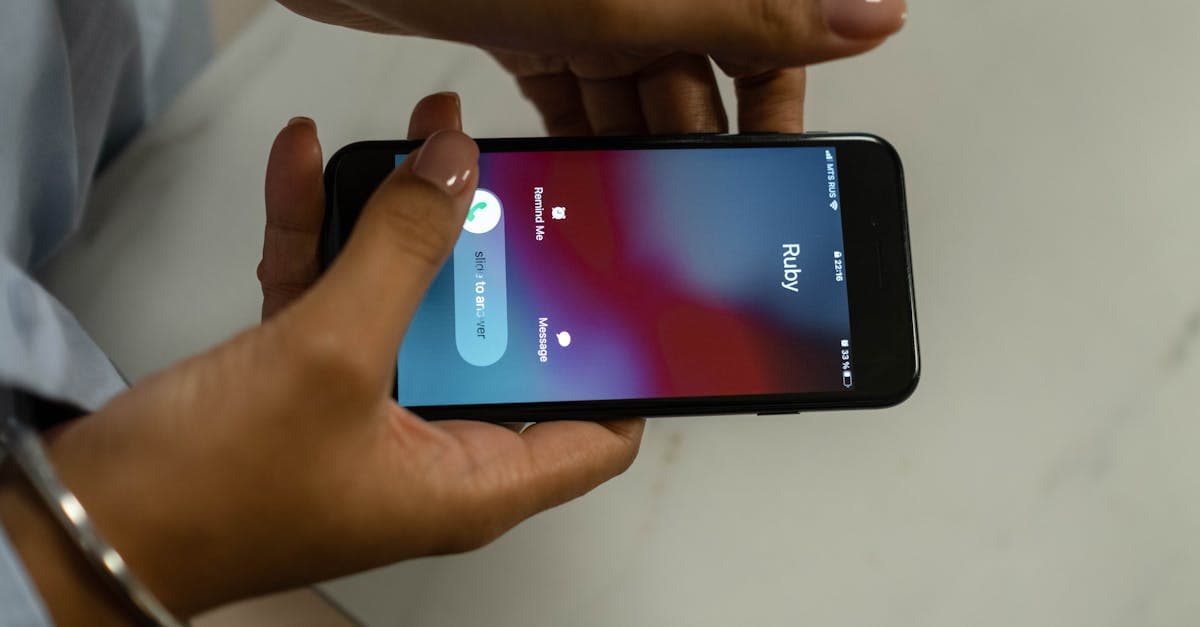
A homeowner's water heater is failing. It is Tuesday at 2 PM. She searches for a plumber, finds your number, and calls. You are under a sink three miles away. The call goes to voicemail. Your greeting tells her to leave a message. She does not leave a message. She hits the back button and calls the next plumber on the list. That plumber answers. He sends an estimate by 3 PM and is on site by 5 PM.
You never knew she called.
This is not an edge case. Research across the home services industry puts the percentage of callers who leave a voicemail at fewer than 20 percent. For every five potential customers who reach your voicemail, four of them are calling your competitors within minutes. The fifth one, the one who did leave a message, is waiting by their phone wondering when you will call back.
This guide exists to show you exactly what a working solution looks like. It covers the revenue math behind missed calls, the psychology of why voicemail fails, the anatomy of a complete automated system, how to tune it for after hours versus business hours, how to route emergencies without burning out your team, how the system applies to each major service industry, and how to measure what the system actually recovers. Every solution described here is a named automation. Nothing in this guide is generic advice. It is all product shaped and buyable.
Table of Contents
1. The Problem: Why Voicemail Loses the Job
2. The Numbers: What Missed Calls Actually Cost Your Business
3. Why Customers Do Not Leave Voicemails
4. What a Working Missed Call Text Back System Looks Like
5. After Hours Response and the 24/7 Decision
6. Triage Routing: Letting the System Decide What Is Urgent
7. The Follow Up Window: Morning After and Beyond
8. Industry Variations: HVAC, Plumbing, Electrical, Roofing, Auto Repair, Dental
9. Integration With Review Collection and Reputation
10. Measuring Recovered Revenue and ROI
11. Common Implementation Mistakes and How to Avoid Them
12. Getting Started: What You Need to Put This System in Place
---
Chapter 1: The Problem: Why Voicemail Loses the Job
The phone rings when you cannot answer it. This is not a failure of your business. It is the nature of running a service operation. You are not at a desk. You are at a job site, driving between calls, on the phone with a customer, or crawling through a crawlspace with no signal. This is what you do.
The problem is not that you missed the call. The problem is what happens in the two minutes after you missed it.
A customer who reaches your voicemail is already in a decision-making state of mind. They have a problem. The problem is often urgent. They picked up the phone and dialed because they wanted to talk to someone now. When they get voicemail instead, they face a simple choice: leave a message and wait for a callback, or call the next business on the list. The overwhelming majority choose option two. Not because they dislike you. Because they have a problem that requires action, and a voicemail inbox does not feel like action.
When the next business answers, the customer's attention shifts completely. They describe the problem. They hear a voice. They feel heard. They feel like something is happening. Your number is forgotten before they hang up.
This is the structural reason voicemail loses jobs. It is not about your reputation or your quality of work. It is about the fact that urgency combined with an unanswered call produces immediate departure. The customer does not owe you a second attempt. They tried once. You were unavailable. The business that was available got the job.
The businesses that are winning in every competitive service market have solved one specific problem: they do not have to answer the phone to keep the lead. They respond immediately through a different channel. That response does not require a human on standby. It requires a system designed to catch callers before they dial the next number.
---
Chapter 2: The Numbers: What Missed Calls Actually Cost Your Business
Before you can justify building this system, you need to understand how much revenue is already leaking. The math is straightforward, but most business owners have never run it against their own call volume.
Start with how many calls you miss in a week. A solo operator or a small crew of two to three technicians realistically misses 5 to 15 calls per week during busy periods. Larger operations running multiple trucks can see 30 to 50 missed calls on a heavy week. For the baseline calculation, use 10 missed calls per week as a conservative number.
Fewer than 20 percent of those callers will leave a voicemail. That means 8 of your 10 missed callers are gone the moment the call goes unanswered. You had 8 leads, and you never knew it.
Now apply a conversion rate. A new caller who reaches an immediate response converts to a booked appointment at roughly 40 to 60 percent in most service industries. A missed call that receives a callback hours later converts at 10 to 20 percent, assuming the caller can even be reached. The gap between those two numbers is where your revenue is disappearing.
Here is the math at conservative scale.
10 missed calls per week. 8 of them do not leave a message. If a working text back system recovers even 3 of those 8, a 37 percent recovery rate, that is 3 additional leads per week staying in your pipeline instead of moving to a competitor.
At an average job value of $350 for a plumbing service call or $500 for an HVAC repair, 3 recovered leads per week is $1,050 to $1,500 in recovered revenue per week. Over a full year, that is $54,600 to $78,000 in work that would otherwise have gone to whoever answered.
For higher ticket industries the numbers are sharper. A single recovered lead on a full HVAC system replacement, which runs $8,000 to $15,000, covers months of platform cost. A roofing job at $12,000 to $25,000 means one recovered call-back conversation pays for the system for the better part of a year.
These are not projections. They represent what is already happening in your business right now. The only question is whether you put a system in place to recover it.
If you want to see how your current website and contact setup performs before deciding on a system, run a free audit at /audit. It pulls real diagnostics on your site and shows you exactly which modules would close the gap.
---
Chapter 3: Why Customers Do Not Leave Voicemails
Understanding why callers hang up matters because it tells you exactly what the solution has to deliver. The failure of voicemail is not random. It follows a predictable psychological pattern.
Voicemail creates a power imbalance. When a customer leaves a message, they transfer all control of the next interaction to you. They do not know when you will call back. They do not know if you will call back. They cannot do anything to move the process forward. For a person dealing with an urgent home repair, a broken down vehicle, or a dental emergency, this waiting state is intolerable. They will abandon it within minutes.
The perceived wait feels long before it starts. Research on consumer behavior consistently shows that people overestimate how long a callback will take. A customer who leaves a voicemail at 2 PM imagines they might not hear back until 5 PM or tomorrow morning. They are not wrong to think this. Many callbacks take exactly that long. The anticipation of a long wait drives them to call someone else immediately, even when you might have called back within the hour.
Voicemail has a generational abandonment curve. Younger customers, roughly those under 40, have grown up expecting text or chat responses. Leaving a voicemail feels to them like sending a fax. They will not do it. They do not see it as a reasonable communication channel. For service businesses trying to reach a broad base of new customers, voicemail as a fallback systematically excludes an entire generation of potential buyers.
A text message feels like an answer, even when it is automated. This is the key insight that the entire missed call text back system is built on. When a customer calls and receives a text within 60 seconds that says "Hi, this is [Company]. We just missed your call and we want to help. What can we do for you?" the psychological dynamic reverses. They are now in control. They have a channel. They can describe their problem. Something is happening. They stay in your pipeline instead of leaving it.
The text back system works not because it is smarter than a phone call but because it matches the psychological state of a customer who has just been disappointed by voicemail. It acknowledges the missed call immediately. It invites them into a conversation. It does both of these things within seconds, before they have had time to dial the next contractor.
---
Chapter 4: What a Working Missed Call Text Back System Looks Like
This is the core of the guide. The following describes the named automations that make up a complete missed call text back system. These are not concepts. They are specific features. Each one handles a distinct moment in the lead lifecycle, and together they form a continuous system that covers every entry point a potential customer might use to reach you.
Missed call text back (24/7). The foundation of the entire system. Any call to your business number that goes unanswered, at any hour on any day of the week, triggers an immediate outbound SMS to the caller. The message goes out within 30 to 60 seconds of the missed call. A standard template reads: "Hi, this is [Company Name]. We just missed your call and we want to help. What can we help you with today? Reply here and we will get back to you as soon as possible." This single automation captures leads that would otherwise disappear. Every other automation described in this guide builds on this one. It is the foundation because without it, none of the follow-up or routing logic has anything to work with.
Two way SMS conversation handoff to a real person when customer replies. The automation starts the conversation. A real person closes it. When the customer replies to the initial text, their message appears in a shared inbox that your dispatcher, office manager, or on call technician can see immediately. The system is not designed to conduct the entire sales conversation through automation. Its job is to catch the customer and hand them to a human when the time is right. The handoff happens inside the same text thread, so the customer never experiences a seam. They receive a fast initial response from the system and then a human continuation of that same conversation. This is the difference between automation that builds trust and automation that feels robotic.
Lead dashboard and notification system for the business owner. Every lead that enters through the missed call system, through a website form, or through an inbound text appears in a single, unified dashboard. When a new conversation starts, your designated contacts receive an immediate push notification or SMS alert. You do not need to log in and check a platform. The system pushes the alert to your phone. This means the person responsible for booking jobs has all the context they need, the caller's number, the time of the original call, and the content of any replies, without switching between tools. Without this layer, leads pile up in an inbox that no one has time to monitor. The notification system is what converts the automation from a passive catch into an active workflow.
These three automations form the base layer of the system. They catch the call, open the conversation, push the lead to your team, and keep everything visible in one place.
If you want to understand what this stack looks like applied to your specific business before committing to a platform, your free audit at /audit will show you exactly which modules apply and what gaps they close.
---
Chapter 5: After Hours Response and the 24/7 Decision
One of the first configuration decisions you will make when setting up a missed call text back system is whether to run the same message around the clock or to use time-based variations. The right answer for most service businesses is time-based variations. A call at 2 PM and a call at 11 PM represent meaningfully different situations, and your initial response should reflect that difference.
After hours auto response. Between your closing time, typically 5 PM or 6 PM, and your opening time, typically 7 AM or 8 AM, the system sends a message that acknowledges the context and sets a clear expectation for the caller. A standard template: "Thanks for calling [Company Name]. Our office is closed right now, but we do not want you to wait. Tell us what is going on and we will have someone reach out first thing in the morning. For emergencies, reply URGENT and a technician will be contacted." This accomplishes three things. It sets an honest expectation. It keeps the customer in your pipeline through the night instead of searching competitors. And it creates an escalation path for genuine emergencies, which Chapter 6 covers in detail.
The 24/7 decision is not complicated once you clarify one question: do your customers have problems that require same night response, or are almost all of your calls routine service inquiries that can wait until morning?
HVAC companies in cold climates in January cannot treat every after hours call as a morning problem. A no-heat situation in a house with children is an emergency, and the family will find someone who acknowledges that. Plumbing companies face the same dynamic with burst pipes and sewage backups. These industries need the after hours auto response to include a clear emergency path and the triage routing described in the next chapter.
By contrast, a landscaping company, an auto shop taking non-urgent repairs, or a cleaning service can almost always set an expectation of morning follow up without losing the lead. The customer with a question about lawn maintenance is not going to emergency-call five landscapers at 10 PM. They are going to go to sleep. If your text reaches them before they do, you have the head start when morning comes.
The most important thing to understand about the 24/7 decision is that neither option requires you or your staff to be awake and monitoring messages at night. The automation handles the communication. You define the rules. The system applies them every time.
---
Chapter 6: Triage Routing: Letting the System Decide What Is Urgent
Every service business that offers any form of after hours availability faces the same operational tension. You want to be reachable for real emergencies. You do not want your on call technician paged every time someone has a question about a tune-up. The triage routing automation resolves this tension by sorting incoming inquiries based on what the customer tells the system.
Triage routing (URGENT keyword escalation). The system monitors incoming reply messages for a designated keyword. URGENT is the most common. When a customer replies to the initial text with the word URGENT, the system immediately triggers two actions. First, it sends the customer an acknowledgment: "We have flagged your message as urgent. A technician will contact you within [X] minutes. Please stay by your phone." Second, it sends a direct push notification or SMS to the on call technician or owner with the customer's name, phone number, and the text of their message. The technician can then call the customer directly from their own phone. No inbox monitoring required. No decision-making by a sleepy dispatcher at midnight.
This architecture keeps the on call technician from being flooded with non-urgent messages while preserving a reliable escalation path for genuine emergencies. The technician does not watch an inbox all night. They receive a targeted alert only when the URGENT keyword fires.
The triage routing automation also sets a measurable performance standard for your business. When you tell a customer "for emergencies, reply URGENT and a technician will contact you within 30 minutes," that is a promise you can keep because the system executes the same way every time. The promise is real because the routing logic is real.
For industries where emergencies are frequent, HVAC, plumbing, electrical, the URGENT keyword should be prominently mentioned in both the business hours and after hours scripts. For industries where emergencies are rarer but still possible, auto repair with a customer stranded roadside, dental with an acute pain situation, the URGENT path should still exist but the follow-up language can set more conservative response windows. "Our on call manager will reach you within two hours" is an honest and defensible promise that most customers find reassuring.
The key principle across all industries is that the system does the sorting, not your staff. You define the rules once during setup. The automation applies them correctly on the tenth call exactly as it did on the first.
---
Chapter 7: The Follow Up Window: Morning After and Beyond
Catching the lead is step one. Keeping the lead in the pipeline through the full buying window is step two. A meaningful percentage of after hours inquiries will not schedule immediately even after the first text conversation. They might reply once, describe their situation, and then go quiet. They went to sleep. They were managing a stressful situation and needed to get through the night. They want to call their spouse in the morning before committing to a service call.
These are not lost leads. They are leads in a slightly different state. The follow up window automations handle them systematically.
Morning follow up for unresolved overnight inquiries. Any conversation that started after hours and did not result in a booked appointment receives an automatic follow up message at 8 AM the next morning. The message is warm and direct: "Good morning. This is [Company Name] following up on the message you sent last night. We are ready to help. What works best for you today?" This message goes out before your team starts fielding new calls, which means your dispatcher opens every morning with a list of warm conversations already in progress rather than starting from zero.
The morning follow up closes a specific gap that most service businesses do not realize they have. Without it, an after hours inquiry that came in at 11 PM either gets caught by a human who happens to check the inbox early, or it sits until someone finds it mid-morning. By that point the customer may have already scheduled with whoever reached them first. The morning follow up is the mechanism that ensures you are always the one who reaches them first.
Beyond the morning follow up, a full lead nurture sequence extends the window for leads that do not convert on the first or second contact. A customer who asked about an estimate but did not book can receive an automatic message on day three and day seven. These messages are not aggressive. They acknowledge that timing is the variable: "We sent you information a few days ago and wanted to check in. If now is not the right time, no problem at all. Just let us know when works." Response rates on day three follow ups average 15 to 20 percent in the home services space. That is a meaningful percentage of revenue that would otherwise be written off as a dead lead.
Lead capture form follow up (60 second response). This automation works alongside the missed call system but handles a different entry point. When a potential customer fills out a contact form on your website, the system fires an SMS within 60 seconds. Research on web lead response time consistently shows that contact within five minutes of a form submission is eight times more likely to produce a conversation than contact within 30 minutes. Contact within 60 seconds is the highest-performing tier in that research. The message is brief: "Hi, this is [Company Name]. We just received your message on our website and we will be in touch shortly. Is there anything specific you need help with right now?" That message opens a two way conversation before the customer has had time to submit the same form on three other sites.
The combination of missed call text back, morning follow up, and 60 second form response creates a net that covers every entry point a lead might use to find you. Phone call, website form, or direct text. All three entry points feed the same lead dashboard. All three receive the same immediate response logic. Your team sees all three in one place.
---
Chapter 8: Industry Variations: HVAC, Plumbing, Electrical, Roofing, Auto Repair, Dental
The core architecture of the missed call text back system is the same across every service industry. The scripts, triage thresholds, escalation windows, and follow up cadences need to be tuned for the realities of each trade. The following covers how to configure the system for the six industries where it delivers the clearest and most measurable return.
HVAC
HVAC is the industry with the highest urgency ceiling in the system. A no-heat call in January or a no-cool call in August is a safety situation. The missed call script for HVAC needs to invite the caller to identify their situation immediately: "Hi, this is [Company]. We missed your call. Are you dealing with a heating or cooling emergency? Reply here and we will get back to you right away. For emergencies, reply URGENT." The after hours auto response should lead with the emergency path rather than burying it at the end. The URGENT keyword escalation is not optional in HVAC. It is the mechanism that allows you to promise emergency response without requiring your technician to monitor an inbox overnight.
The follow up sequence matters in HVAC because replacement decisions take time. A homeowner who gets a repair versus replace conversation in October may not commit until November. Automated follow up at day three, day seven, and day fourteen keeps your estimate in front of them through that decision window. Average replacement job values run $8,000 to $15,000. A single recovered estimate that would have gone cold is worth the entire annual cost of the platform many times over.
Maintenance plan enrollment offer after emergency repair. After an HVAC technician completes an emergency repair, the system automatically sends a follow up message 24 to 48 hours later. "We are glad we could get your system running again. Our annual maintenance plan covers two tune-ups per year and puts you at the front of the line for emergency calls. Would you like details?" This automation converts one-time emergency customers into recurring revenue. Conversion rates on this offer run 15 to 25 percent when the timing is right, which is immediately after the customer experienced the pain you just solved.
Plumbing
Plumbing jobs split roughly 60 to 40 between genuine emergencies, burst pipes, sewage backups, no hot water, and scheduled work, fixture replacement, remodels, leak detection. The triage routing handles the emergency half. The follow up sequence handles the scheduled work pipeline.
The missed call script for plumbing should be neutral enough to invite either situation: "Hi, this is [Company]. We missed your call. What plumbing issue can we help with?" Short, non-leading, and easy to reply to. The lead dashboard is especially important in plumbing because high ticket remodel and whole-house re-pipe jobs require multiple contacts before a customer commits. A dispatcher who can see the full conversation history for a lead who has been in the pipeline for a week is far more effective than a dispatcher starting cold every morning. The day three and day seven follow ups close plumbing jobs that a busier team would simply lose track of.
Electrical
Electrical work has two distinct categories and the system needs to handle both. Electrical emergencies, no power in part of the house, sparking outlets, a tripped breaker that will not reset, are genuine safety situations that require fast escalation. Non-emergency electrical work, panel upgrades, EV charger installs, generator hookups, smart home wiring, is often discretionary and involves a longer sales conversation.
The after hours system should treat any electrical call as potentially urgent and give the caller an immediate path to triage. The URGENT keyword should alert the on call electrician within minutes. For the larger scheduled projects, particularly panel upgrades running $3,500 to $6,000 and whole-home rewires running $8,000 to $20,000, the automated estimate follow up sequence at day one, day three, and day seven is critical. These are not impulse purchases. Customers comparing multiple bids will often go with whoever stays in the conversation the most consistently, not necessarily whoever was cheapest.
Roofing
Roofing leads cluster after storm events. Your missed call volume can jump from 5 calls a week to 50 calls in 48 hours after a significant hail event. If your office is closed when the storm passes and you have no automated system in place, a competitor with one running captures most of those leads while you sleep. The storm surge scenario is precisely where the after hours auto response and the morning follow up deliver the highest return in roofing.
The after hours script for roofing should acknowledge the storm context: "Hi, this is [Company]. We missed your call. If you are dealing with storm damage, we want to help. Reply with your address and what you are seeing and we will prioritize getting to you." The morning follow up ensures that every conversation from the overnight storm surge is contacted fresh at 8 AM, before the homeowner has settled on another contractor.
Average roofing jobs run $12,000 to $25,000. A single recovered lead from an overnight storm event justifies a full year of platform cost. The math is not close.
Auto Repair
Auto repair has a different urgency profile than home services. Genuine emergencies exist, a car that will not start before a work trip, a check engine light ahead of a long drive, but most auto repair calls are for scheduled maintenance, oil changes, tire rotations, diagnostic appointments, and non-urgent repairs. The missed call script can be simpler and warmer: "Hi, this is [Company]. We missed your call. What can we help you with? Reply here and we will get you scheduled." The URGENT path is still valuable for the roadside or safety situations.
The 30 day post job check in is particularly high-value in auto repair because repeat customers drive a disproportionate share of shop revenue.
Post job check in at 30 days. Thirty days after a completed repair, the system automatically sends a brief message: "Hi, this is [Company]. It has been about a month since we serviced your vehicle. How is everything running? Let us know if anything comes up or if you need to schedule anything." This check in generates repeat bookings at a measurable rate, surfaces warranty issues before they become negative reviews, and creates a natural opening for the review request automation. In an industry where margins are tight and repeat customers are the highest-margin segment, the 30 day check in is one of the best-returning automations in the entire stack.
Dental
Dental practices have a distinctive version of the missed call problem. Most calls are scheduling inquiries, new patient appointments, follow-up visits, and referral calls, but some are acute dental emergencies where the patient is in pain and needs same-day attention. The missed call text back for dental should lead with warmth because patients reaching out in dental situations are often anxious: "Hi, this is [Practice Name]. We just missed your call. Are you looking to schedule an appointment? Reply here and we will get you set up quickly. For dental emergencies, reply URGENT."
The lead capture form follow up is critical in dental because a significant share of new patient inquiries arrive through the website, particularly from patients who found the practice through Google or a referral link. A 60 second text response to a new patient inquiry converts at dramatically higher rates than a next-business-day callback, particularly for patients who are still in the stage of comparing two or three practices. The practice that responds first and warmest wins the new patient.
---
Chapter 9: Integration With Review Collection and Reputation
The missed call text back system recovers revenue at the top of the funnel. The post-job automations build the reputation that feeds the top of the funnel. When these systems run together, they create a self-reinforcing loop that most competitors are not running.
Automated review request after every completed job. After a job is marked complete in your system, the platform sends an automated SMS to the customer within 24 to 48 hours: "Hi, this is [Company Name]. We are glad we could help. If you have a moment, we would appreciate a Google review. It helps other homeowners find us when they need help. Here is the direct link: [Google Review Link]." Timing is the critical variable. Studies on review collection show that requests sent within 24 hours of service completion produce response rates three to four times higher than requests sent a week later. The customer still remembers the experience. The goodwill from a job well done has not faded.
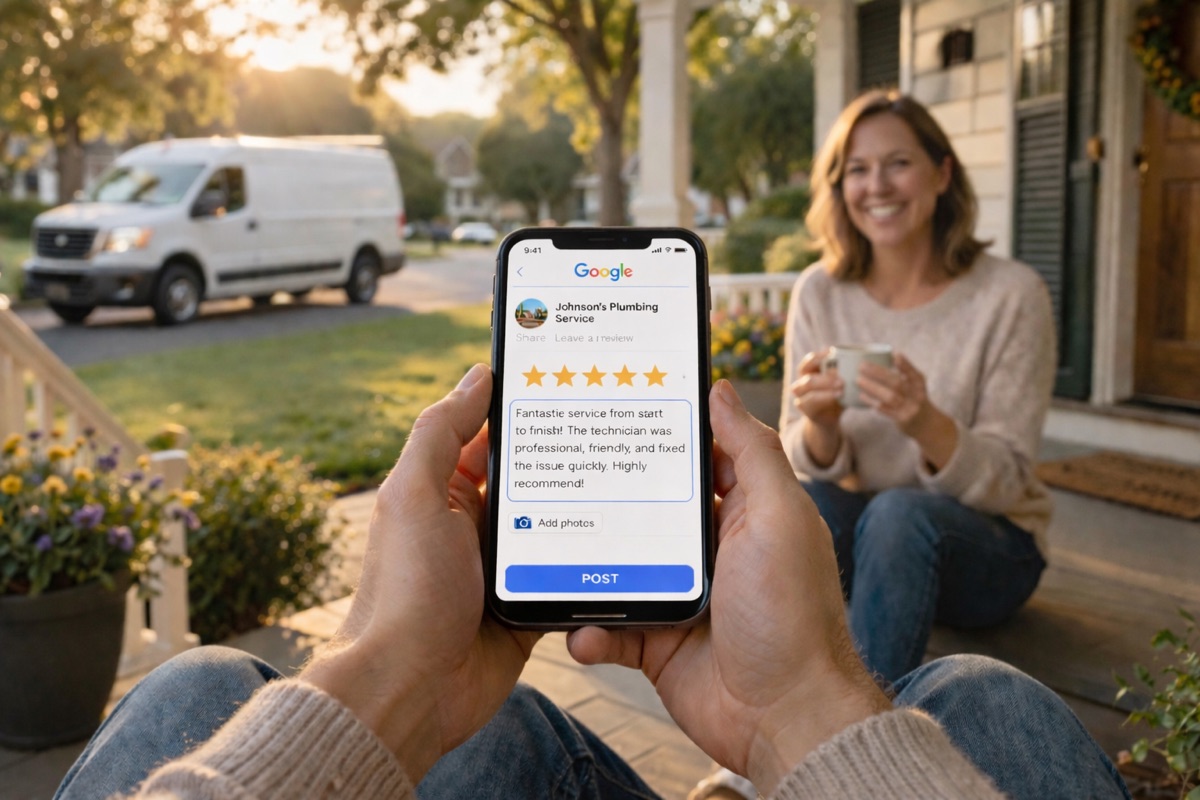
The connection between the missed call system and the review system is not immediately obvious, but it is significant. The missed call text back improves your conversion rate on incoming calls, which means you complete more jobs. More completed jobs fed into the review request automation means more Google reviews per month. More reviews means a higher position in local search results and a more compelling Google Business Profile when a new customer is comparing options. A stronger profile generates more calls. More calls go through the missed call system. The cycle feeds itself. (For the deeper playbook on each side of this loop, see our complete guide to Google Business Profile optimization and our complete guide to getting more Google reviews.)
Post job check in at 30 days. The 30 day check in, described in the auto repair section of Chapter 8, applies across every industry where repeat business and long-term relationships matter. In HVAC, it surfaces the conversation about maintenance plans. In plumbing, it opens the door to recurring service agreements. In dental, it is a natural touchpoint for the next appointment reminder sequence. Customers who receive a 30 day check in are significantly more likely to respond to a review request at that second contact if they did not respond to the first one sent immediately after the job.
Maintenance plan enrollment offer after emergency repair. Emergency customers have just experienced a high-stress situation in which you provided relief. That is the highest-engagement moment in the customer lifecycle. The maintenance plan enrollment automation reaches them at exactly that moment, 24 to 48 hours after the repair, when the memory of the problem is still fresh but the relief is what they are feeling most strongly. Conversion rates on this offer run 15 to 25 percent in HVAC and 10 to 20 percent in plumbing. Every customer who enrolls in a maintenance plan becomes a source of recurring revenue and a highly likely future reviewer.
The integrated system, missed call text back, post-job check in, review request, and maintenance plan enrollment, turns a single emergency call into a multi-year customer relationship. None of these touchpoints require manual effort from your team after the initial setup. The system executes every step based on the rules you define.
---
Chapter 10: Measuring Recovered Revenue and ROI
You cannot manage what you cannot measure. One of the most common objections to investing in an automation platform is the difficulty of attributing specific revenue to the system. The following framework makes that attribution clear and specific.
Establish your baseline before you deploy. Count missed calls per week for two weeks before turning on the system. Track how many of those callers called back on their own within 24 hours. Track how many voicemails you received and how many converted to booked appointments. These three numbers give you a clear pre-system conversion rate to measure against.
Track four metrics inside the lead dashboard after deployment.
First, track conversations started per week from missed calls. This is the number of callers who received the initial text and replied. Compare it to your pre-system voicemail callback rate. The difference is your recovered lead count.
Second, track the conversion rate from text conversation to booked appointment. A healthy rate runs 30 to 50 percent in most service industries. Below 25 percent suggests the handoff to a human is taking too long or the initial script needs adjustment. Above 50 percent is achievable in industries where the customer's need is urgent and well-defined.
Third, track average job value for leads that originated from the text back system. In most cases this tracks closely with your overall average job value, which means every percentage point of recovery improvement translates directly to revenue.
Fourth, track your Google review count on a monthly basis. As the review request automation feeds completed jobs, you will see your review volume increase on a predictable curve. A business that goes from 15 reviews to 60 reviews in 90 days will see a measurable improvement in local search position, which feeds call volume, which feeds the missed call system, which completes the loop.
The ROI calculation is straightforward. Multiply recovered jobs per week by average job value by 52 weeks. Subtract the annual platform cost. The result is net annual recovered revenue. For most service businesses deploying this system, the payback period on platform cost is less than 30 days.
The one number that surprises most business owners when they run this calculation for the first time is the recovered revenue figure. The platform cost feels significant in isolation. Against the revenue number it is almost invisible.
---
Chapter 11: Common Implementation Mistakes and How to Avoid Them
Most businesses that deploy this system and fail to see the expected results make one of five predictable mistakes. Knowing them before you start means you avoid them.
Sending the initial text too late. The first text must go out within 60 seconds of the missed call. Every minute of delay drops the conversion rate materially. Some platforms introduce a default delay of five to ten minutes as a configuration choice. Check this setting explicitly. The delay should be as close to immediate as the platform supports. The psychological window where a caller is still undecided and available closes fast.
Using the wrong first message. The initial text is not a sales message. It is not a greeting. It is an acknowledgment and an invitation. "Thanks for calling, we are busy, someone will call you back soon" performs poorly because it returns control to you and gives the caller nothing to do. "We missed your call, what can we help you with?" performs well because it immediately gives the caller an action they can take. The distinction sounds small. The conversion difference is significant.
Skipping the human handoff. Automation starts the conversation. A human needs to be available to continue it within a reasonable window during business hours. If a customer replies and waits four hours for a human response, the advantage of the instant first text is erased. Build the handoff expectation into your team's daily workflow. One person needs to be designated as the inbox monitor during working hours. The lead dashboard notification system makes this straightforward because the monitor receives an alert rather than having to check the inbox manually.
Treating after hours and business hours identically. The scripts and escalation rules should be different for each time window. A customer calling at 7 PM expects to hear that your office is closed. A customer calling at 10 AM does not. Sending an after hours message during the business day signals that the text is purely automated and not responsive to their actual situation. Set up the time-based rules correctly before going live.
Not measuring anything. The single largest mistake businesses make with this system is deploying it and never opening the lead dashboard to look at the numbers. If you do not track conversations started, conversion rate, and jobs recovered, you will not know if the system is working, and you will not know what to adjust. Review the dashboard weekly for the first 90 days. The data from those first 12 weeks will show you exactly where to tune the scripts, the triage thresholds, and the handoff timing.
---
Chapter 12: Getting Started: What You Need to Put This System in Place
Getting this system operational is less technically complicated than most business owners expect. The following describes the realistic sequence of steps and what each one requires.
Step one: Confirm your phone number setup. The missed call text back system works by detecting unanswered calls and triggering an outbound SMS to the caller. For this to work, your business phone number needs to be either a VoIP number managed by the platform or forwarded through a tracking number that the platform controls. If your current primary business number is a landline, you will need to port that number to a VoIP service or configure a forwarding number to route calls through the platform. Most businesses complete this step in a single afternoon.
Step two: Write your scripts. You need five short scripts to start. The business hours missed call response. The after hours missed call response. The URGENT keyword acknowledgment. The morning follow up message. The post job review request. Each script is two to four sentences. Industry-specific templates are available for all five inside the MustHavesAI platform. Customizing them to your business name and service type takes under an hour.
Step three: Set your triage rules. Define what URGENT means for your business, who receives the escalation alert, what device they receive it on, and what response time you are committing to. Define your business hours window. Define the on call escalation contact for after hours. These rules take 15 minutes to configure and rarely need to change unless your team structure changes.
Step four: Connect your lead dashboard. Every conversation that enters the system needs to appear in one place. Connect the platform to your scheduling tool or CRM if you use one. Define who receives the notification alerts and whether they go to a phone number, an email address, or a platform app. The goal is zero missed conversations during business hours without anyone having to manually check an inbox.
Step five: Run the system for 30 days and review the numbers. At the end of the first month, count recovered conversations, booked jobs that originated from the text back system, and new Google reviews generated through the review request automation. This first month of data tells you exactly what the system is worth and where to adjust it.
Most service businesses following this sequence are fully operational within one week of starting setup. The ongoing overhead is minimal. The system runs without daily intervention. Your team responds to conversations that the system has already caught and handed off. The automation handles the repetitive part. The human handles the relationship.
---
The Phone Will Always Ring When You Are Unavailable
That is the nature of running a field-based service business. You cannot be at a desk waiting for calls. You are out doing the work that generates the revenue. The phone ringing while you are unavailable is not a problem you can solve by hiring more people or staying in the office longer.
What you can solve is what happens to the caller in the 60 seconds after they reach your voicemail. You can transform that moment from a dead end into the start of a conversation. You can make every caller feel like they were acknowledged, even when you could not answer. You can give them a reason to stay in your pipeline instead of dialing the next number.
The businesses winning in competitive local service markets right now are not necessarily better at the work. They are better at staying in the conversation. They have systems that respond immediately, route intelligently, follow up automatically, and ask for reviews at the exact moment a customer is most likely to leave one. None of those things require someone to be sitting at a desk. They require a system running in the background, doing the consistent work that humans cannot do consistently.
The missed call text back system is not an extra. It is infrastructure. Every job you book on top of your current baseline is a job that the system recovered from voicemail. The system pays for itself on the second or third recovered job, and then it keeps running.
Every day you operate without it, you are already paying for it. You are paying in jobs you never knew you lost.
If you want to see where your current setup stands before you start, your free website audit at /audit will run real diagnostics and show you exactly which gaps this system would close for your specific business.
Already have a website? Get Your Free Website Audit
No website yet? Claim Your Free Landing Page